
Arco
A free, simple start for your electric violin.
Connect through an audio interface, choose a preset and find a sound you like. Arco runs as its own app.
Choose your operating system to see downloads.
Features
Start with a preset. Then play.
If you’ve just bought an electric violin, Arco helps you get a decent sound without setting up recording software. Connect through an audio interface, choose a preset, and adjust the tone. The advanced settings can wait until you need them.
Find a starting point
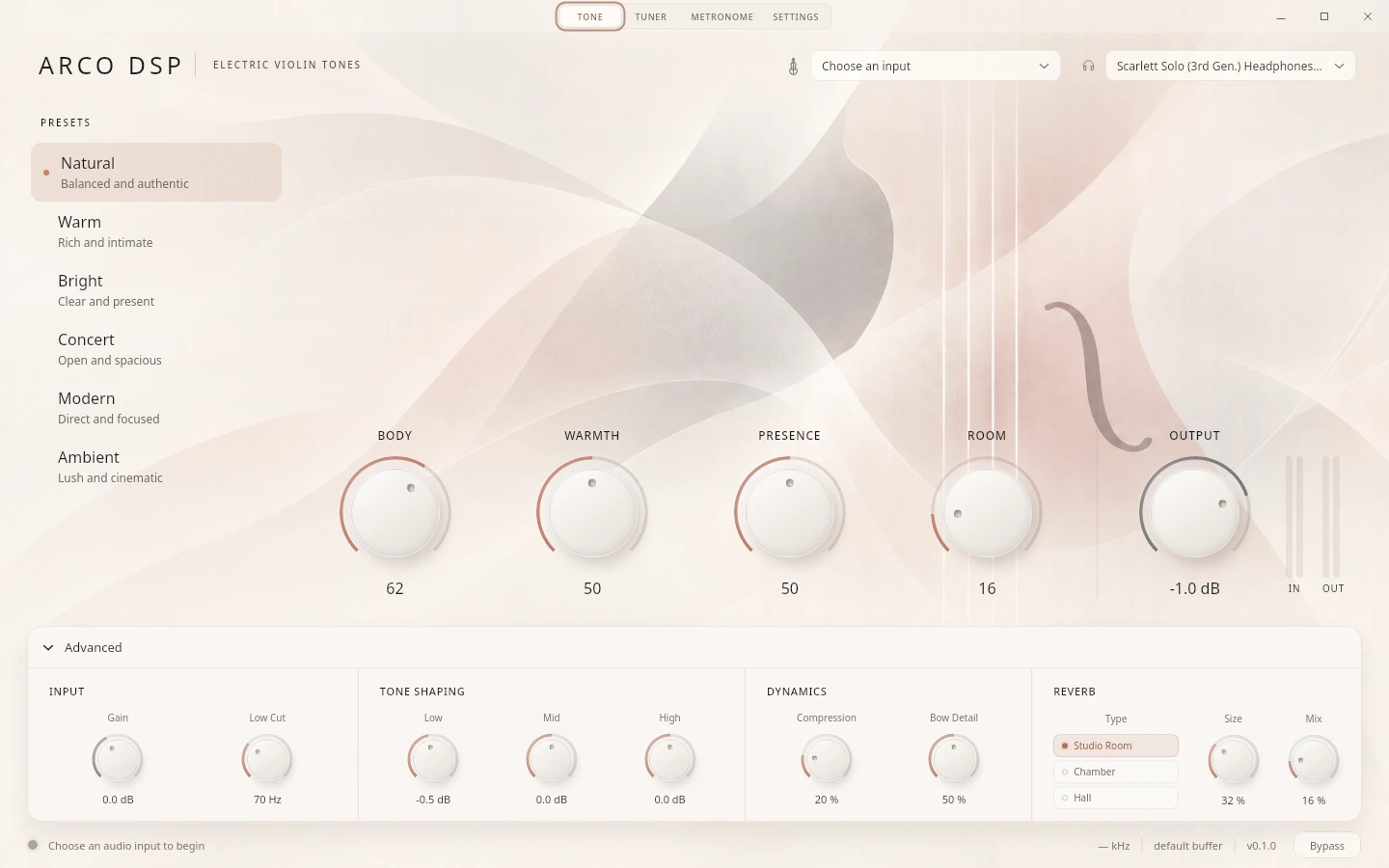
Try Natural, Warm, Bright, Concert, Modern or Ambient. Pick one you like, then adjust it to suit your violin and how you play.
Tweak the tone
Body, warmth, presence and reverb are on the main screen. EQ, compression and bow transient controls are there when you want to go further.
Body response and reverb
Choose Studio Room, Chamber or Hall reverb, and blend in the included body response. You can also load your own WAV impulse response.
In the app
Tone and presets
Choose a preset, then adjust body, warmth, presence and reverb. EQ and dynamics are available in the advanced controls.
View 1 of 3: Tone and presets
Play without a DAW.
Arco is free to download and use. It runs on its own and remembers your audio devices and sound settings. We like tweaking knobs too. Occasionally, we even remember to play.
Help
Before you start.
Is Arco free?
Yes. Arco is free to download and use, with all six presets and the sound controls included.
What do I need to get started?
An electric violin or violin pickup, an audio interface with an instrument input, and headphones or speakers. Plug the violin into the interface, then select your input and output devices in Arco.
Is Arco a plug-in for my DAW?
Arco runs as its own app. You don’t need a digital audio workstation (DAW) to use it. It is not currently a VST, Audio Unit or other DAW plug-in.
Can I use my own body response?
Yes. Arco includes a body impulse response and can load a custom mono or stereo WAV file up to one second long. The Body control adjusts its blend with your direct instrument signal.
Other app
Cadence
Sight-reading practice